
AI Learning Centre
New Features in Feedback Studio
You Can Now Grade Student Assignments With Feedback Studio

Empowers instructors with commenting and grading tools that make the feedback process faster, easier, and more consistent. Scroll down for important usage tips!
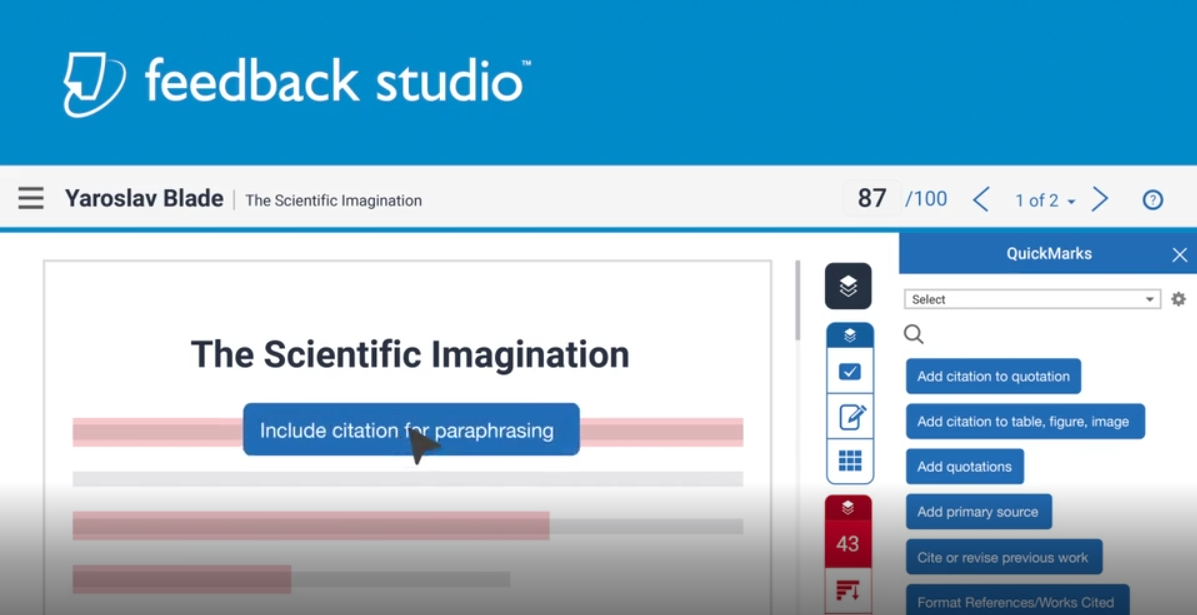

Save time on grading and feedback
Empower instructors with commenting and grading tools that make the feedback process faster, easier, and more consistent.
Give Meaningful Feedback
Click the video below to see a preview:
Why limit personal interactions to the classroom?
Drag-and-drop QuickMarks, text and voice comments, and automatic grammar checking provide personalized and actionable feedback to students.
Standardize Grading
Click the video below to see a preview:
Don’t let grading fatigue get you down
Pre-defined or custom rubrics help instructors consistently evaluate student work and easily connect grading criteria to in-line feedback.
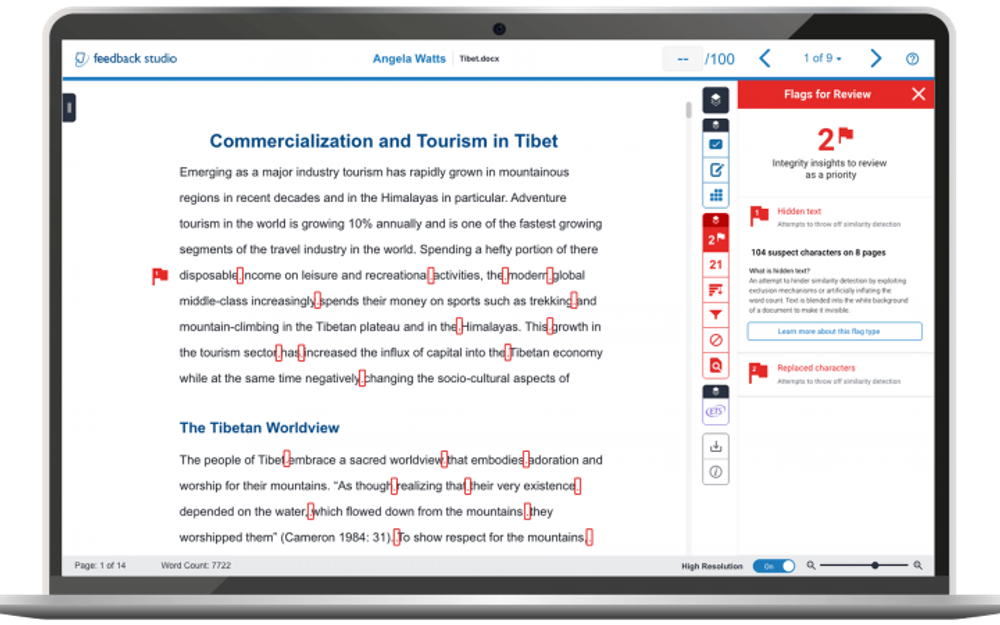
Flags Panel
Auto-detect when a student has replaced characters, hidden, or otherwise changed text in their assignments to circumvent plagiarism checks.
Important Notes:

- It is a good idea to download the assignment after you’re done giving feedback, as it only remains in Moodle as long as the student is registered in the course. (Lecturers can download a hard copy of the assignment and all comments and marks will appear regardless of whether they’re using the Moodle Assignment or the Turnitin Assignment tool.)
- Teachers, using the Moodle assignment activity, should mark assignments using feedback studio only from the Moodle assignment activity, and not one after the other from within feedback studio using the arrow keys to move from one assignment to the next, as the latter means the instructor may end up marking an iteration and not the final assignment.
- Students need to accept terms of use when submitting assignments if using turnitin for the first time.
- Use this link for Turnitin Support for Instructors
- Use this link for Turnitin Support for Students
- Click this link to see the Lecturer Guide for Feedback Studio
- Click this link to see the Student Guide for Feedback Studio